Documents
- Store all project files, plans, specs and contracts, in one clear place.
- Notify clients when new documents are uploaded.
- Track views to see who accessed each document.
- Clients always find the latest version, no confusion.

Zoho and Ziggu are connected by Ziggu. We build the connection and we run it, and it covers three separate flows that you can switch on together or one at a time: deals become projects, documents reach the right client, and invoices land in the client's portal. Everything runs hourly by default, and the schedule can be adjusted. Zoho stays where your business is run. Ziggu is the client portal where your client lives with the result.
Zoho can already email a contact and attach a PDF. The reason to connect is not the sending, it is the second year.
On a project that runs for months or years, a client receives nine or ten invoices, a stack of documents, a series of choices to make and a delivery date that moves. Sent one at a time by email, that history ends up spread across ten different inboxes, and nobody can answer a simple question without searching for it. In Ziggu it is one list, in order, with the current status on it.
Zoho keeps doing what it is good at. What changes is that your client stops having to reconstruct their own project from their mailbox.
Ziggu organises work as projects, and a project can hold one unit or hundreds. A unit is the smallest thing a single client has: one apartment in a development, one house, one fit-out, one order. Between project and unit sit optional levels, phases and lots and buildings, which large projects use and small ones never see.
If you run one job per client, your project and your unit are the same record and those levels stay invisible. If you deliver ninety apartments in one development, you use all of them. The connection behaves the same either way; only the number of records changes.
The first column is the name your team knows from the app. The second is the endpoint a developer would call if you ever wanted to extend this connection on Ziggu's public API.
| What it is in Ziggu | Endpoint | Direction | When |
|---|---|---|---|
| The project, and the units inside it | /projects, /units | Zoho to Ziggu | When a deal reaches the status you choose |
| The contact on the deal, attached to the right unit | /customers, /unit_customers | Zoho to Ziggu | With the project |
| The company behind the contact | /companies | Zoho to Ziggu | With the contact |
| Documents, filed under the category you choose | /documents, /attachment_categories | Zoho to Ziggu | Hourly by default |
| Invoices, as a document or as a payment schedule | /documents or /installments | Zoho to Ziggu | Hourly by default |
You choose between two destinations, and the difference is bigger than it looks.
As a document. The invoice arrives in the client's documents under an Invoices category. Simple, and it sits alongside the rest of the paperwork for that project.
As a line in Financials. The invoice becomes an instalment that carries a title, a description, a date, a payment deadline, a status and its own attachments. More importantly, the client gets a dashboard instead of a pile: the total, what has been paid, what is open, and what is still to come.
Teams that invoice in instalments almost always want the second one. A client who can see their own payment schedule stops calling to ask what is left.
If you would rather build or extend it yourself, everything above is available on Ziggu's public REST API. Endpoint reference: Ziggu API documentation.
Nine instalments across a hundred units is nine hundred invoices. Sent by hand, that is a job. Synced, it is a schedule your client can read.
Zoho holds your operations, your margins and your internal notes. Ziggu shows the client their own project and nothing else, which is what makes it safe to give them access at all.
Once projects and units exist in Ziggu, everything else attaches to them: documents, decisions, reports. See how property developers use Ziggu.
No. CRM, documents and invoices are separate. Plenty of teams start with invoices alone.
Hourly by default. If your process needs something else, the schedule can be changed.
Wherever you choose: as a document under an Invoices category, or as an instalment in Financials with a due date, a status and a running total.
A deal reaching the status you nominate during setup.
No. Ziggu shows what is due and what is paid. Collection stays where it is today.
No. Clients only ever see Ziggu.
Last verified: 28 August 2026.
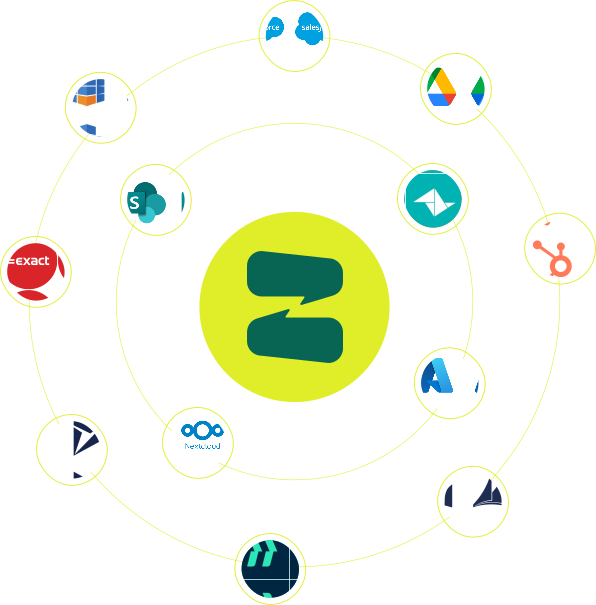
Ziggu already integrates seamlessly with a number of CRM, ERP and document management systems. Can't find yours? Contact us and we'll research the possibilities!
CONTACT US
