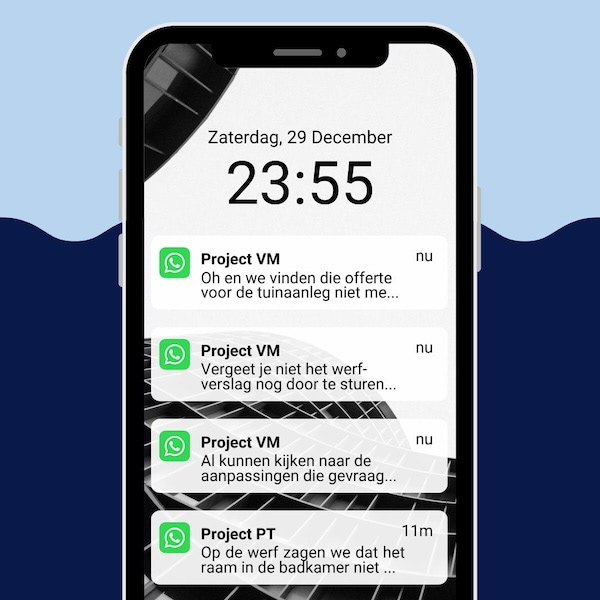
You can move client communication off WhatsApp without becoming slower or harder to reach. The problem is not the app: it is that a message belongs nowhere. No project, no owner, no deadline. A client portal such as Ziggu puts the same conversation on the project it is about, where your colleagues can see it too.
Key takeaways
- In Ziggu every conversation sits on the project it is about, with the documents and the decision that follows from it attached.
- A client portal records who approved what and when, with the document that approval covered attached to it.
- Client communication on a personal phone cannot be handed over: when someone drops out, the project memory goes with them.
- Clients ask fewer questions outside working hours once they can look the answer up themselves.
- WhatsApp stays useful for what is urgent and short-lived, such as a photo from site or moving an appointment by an hour.
Why the message arrives in the evening
WhatsApp arrives in the evening because it sits on the same handset as your private life and has no threshold. The client sees the message has been read and expects an answer. You are on the sofa.
Elise Dobbeleers, co-owner of general contractor Hado Wonen, puts it this way in her story: “People send messages at any hour of the day, even late in the evening or at the weekend. That makes it hard to draw a clear line between work and private life.”
This is not a question of discipline. A building project runs for months and the client has a large part of their savings in it. They do not message because they are impatient, but because they have nowhere else to look.
As long as your phone is the only place the answer lives, the question will land there.
The cost runs both ways. You lose your evening. And the client gets an answer recorded nowhere, in a chat only the two of you can see.
At Hado Wonen they handle the first half with agreements. The team is building a communication guide: “In it we set out what counts as an emergency and when clients are best off getting in touch. That way we stay reachable, but we also protect our private lives.”
Agreements work as long as everyone knows them. They do not fix the second half: an answer that stays nowhere stays nowhere. For that you need a place that is not your phone.
What a chat does not record and a client portal does
A chat message fixes nothing in place. It carries no owner, no deadline and no position in a file, so “we agreed on this, surely” turns into an argument instead of a reference.
Three things break at once. The approval of a quote sits between two photos. The latest version of a drawing is whichever one somebody happened to send last. And your colleagues see none of it, so when one person drops out the project memory goes with them.
In a client portal an approval carries a name, a date and the document it covers. Who looked at what, and when they acted on it, sits in a log. That is not stricter than a chat. It is only findable.
What is a good alternative to email and WhatsApp for following up client projects?
A client portal is the alternative that takes over the speed of WhatsApp and leaves the mess behind: one file per project, worked in by the client, your team and your partners. In Ziggu that file holds as many conversations as the work calls for, split by topic and by the people involved, each with its own participants and permissions.
Everything else that rolls through the chat today gets a place of its own. A quote that needs approval becomes a decision with a name and a date under it. A drawing becomes a document with a version, and you can see who opened it. A site photo goes with a client update when it is news, or with a report point when someone has to act on it, with an owner and a deadline attached.
The threshold is where this usually falls over. A client who has to install something before asking a question will simply send another message. So the portal runs in your own branding and works in the browser on a phone: the client sees who it comes from and can answer straight away.
For them, nothing gets slower. What changes is where their question and your answer land. The same move applies to email, and that one is written up separately.
What a client portal changes about the way you work now
The difference is not in what you send. It is in what happens to the message after it has been sent.
| | WhatsApp | Client portal |
|---|
| Where the message lives | On a personal phone | On the project and the topic |
| Who can reach it | The two people in the chat | Anyone with rights on that project |
| An approval | A message among the rest | Name, date and document attached |
| When someone drops out | The history goes with them | A colleague picks up the file |
| The client looking something up | Scrolling the chat | Documents, updates and decisions in one place |
Where WhatsApp can stay
WhatsApp can stay for what is urgent and short-lived. A supplier standing at a locked gate, an appointment moving by an hour, a photo asking whether an opening is in the right place: none of that belongs in a file, all of it needs answering now.
The reason to say so plainly is that being reachable genuinely earns something. Elise Dobbeleers, about her husband and co-owner: “Michael is reachable on WhatsApp almost all the time. Clients appreciate that enormously. It gives them calm and confidence.”
So the question is not whether you switch WhatsApp off. It is what happens to the answer afterwards. A decision taken in a chat belongs in the portal the same day, with the confirmation attached. Otherwise you have moved the problem to the day someone has to find it again.
Teams that keep this up treat it as a rule rather than an intention: chat is fine, but what is settled is settled in the portal.
Frequently asked questions about moving to a client portal
How do you bring along clients who keep using WhatsApp?
By answering where you want the conversation to live. A question that comes in by chat and gets answered in the portal moves itself after a few rounds. New projects start in the portal, running projects follow.
What do you do with the conversations already in WhatsApp?
Only what still has consequences moves across: approved quotes, agreed dates, drawings that still stand. The rest is history and does not need transferring.
Does this work on the client's phone?
Yes. The client gets a notification, opens the portal in their browser and answers there. They need no separate device or program to follow the project.