Built for planners and coordinators

Bring order where your client expects chaos.

Your client makes dozens of choices and has to approve them, while you run a different flow for every type of event. Ziggu gives everyone one clear run-of-show to follow, so there are no surprises on the day.

Free 14 day trial. No Credit Card needed

When your client expects a flawless event, this is how you keep every choice and approval under control:

One run-of-show, not ten scattered chats.
Every choice and approval tracked. No day-of surprises.
A proven flow per event type, reused every time.
Vendors and venues in one place, not your inbox.

Rated 4.7/5 by 2,500+ companies.

Take on more events,
not more admin.

Ziggy holding a laptop

A "yes" in the group chat is not a sign-off.

Group chats are fast, but they were never built to run an event. What if a client changes their mind the night before, or you need to prove what was agreed when a vendor turns up with the wrong setup?
Ziggu brings the calm: every choice, message and approval in one place, organised per event, and confirmed before the day arrives.
BOOK A DEMO

More events. Less admin stress.
Happier clients.

For your team

Every event is different, but your flow shouldn't start from scratch each time. Ziggu gives you a repeatable run-of-show per event type, so you bring order and structure without the admin.

A repeatable flow per event type, built once.
Tasks for your client and vendors, tied to each step.
Every choice and approval on record, so nothing's unclear.
One place for the whole event, no mail or WhatsApp hunts.
For your customers

Your client wants their event to feel handled, not chaotic. Ziggu gives them one place to make choices, approve and follow along, so they feel the calm you're known for.

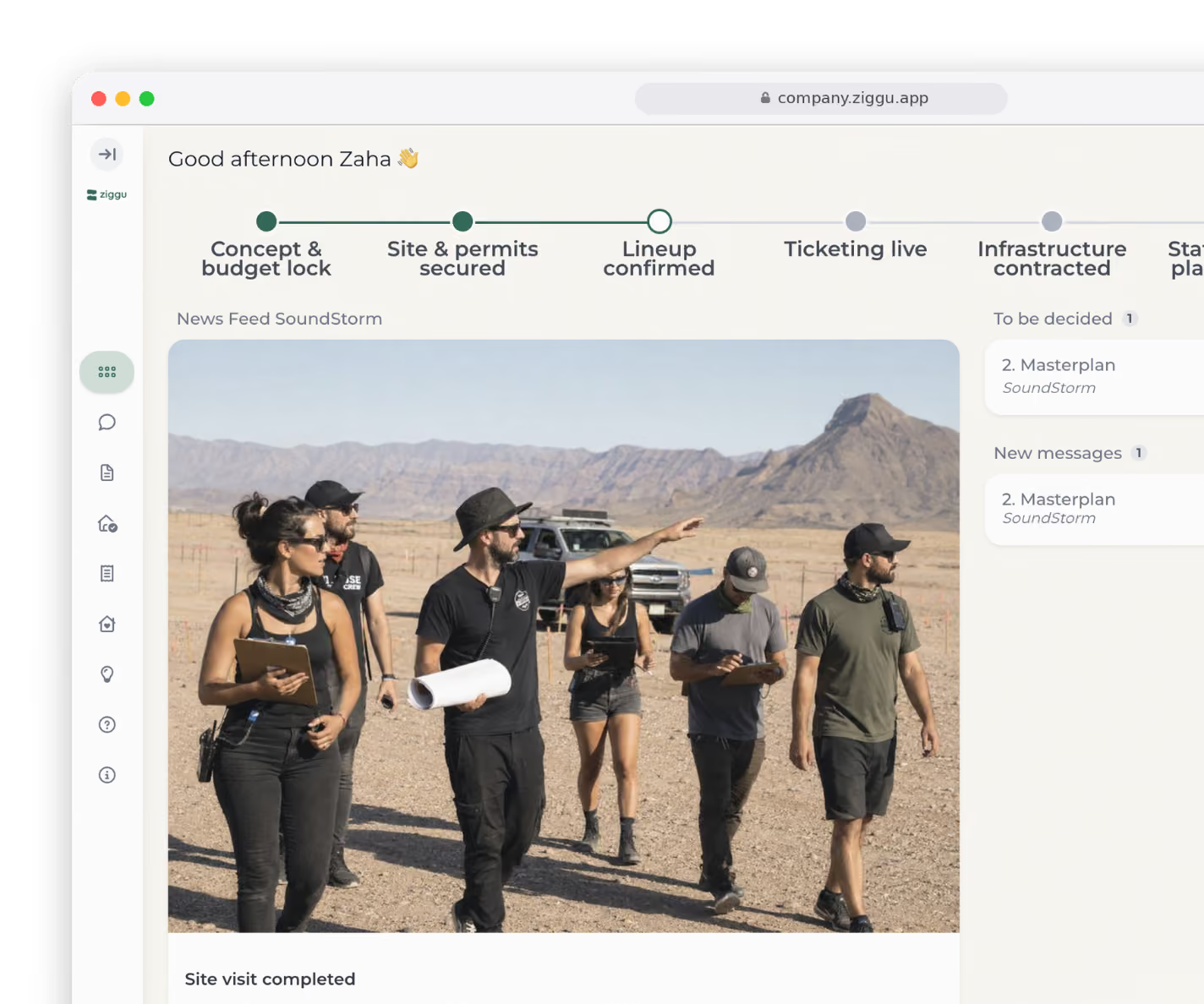
Progress they can follow live, without asking for updates.
All documents together: contract, plans and details.
A clear budget overview, always up to date.
Choices and approvals from any device, in a few taps.

Get started fast. Scale without the chaos.

Your team doesn't need another complex tool. With Ziggu, setup takes minutes, and every project gets easier from there.

Step 1: Set up and customise your portal

Brand it your way - Add your logo and colors for a consistent client experience.
Set up a project template - Define the customer journey and pre-load essential documents.
Invite your team - Assign roles and permissions to control access.
Connect your tools - Sync with your CRM, invoicing and other software.

Step 2: Start your first project

Start from a template - Begin with a ready-made basis instead of a blank project.
Add the details - Project info, timelines and key stakeholders.
Organize tasks - Assign responsibilities, set deadlines and automate reminders.
Upload essential documents - Contracts, approvals and invoices in one place.

Step 3: Keep everything (and everyone) on track

Invite clients and partners - Control exactly what each can see and do.
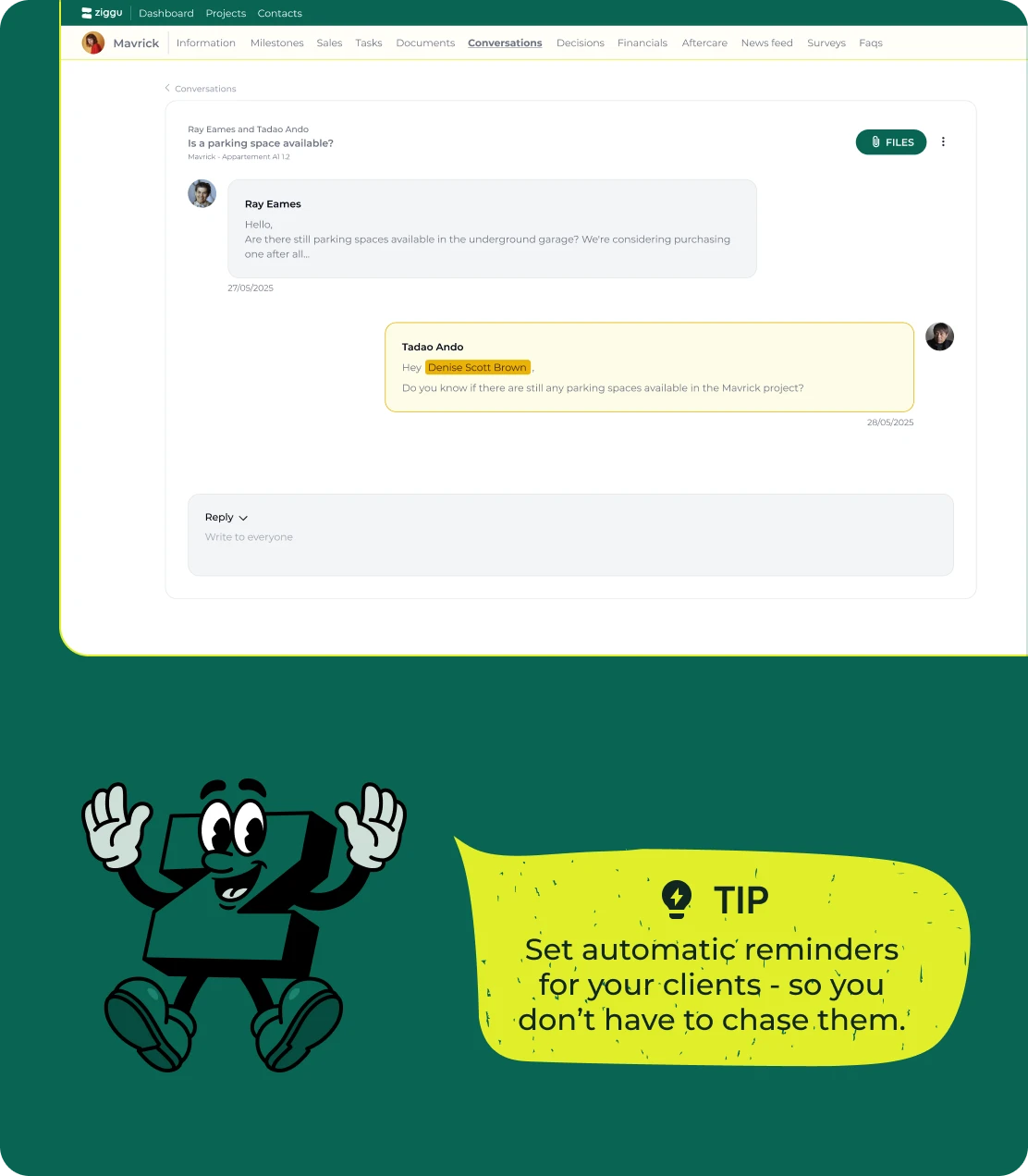
Streamline messaging - Send updates, and let clients reply directly via email.
Keep internal discussions private - Add internal notes to conversations for team collaboration.
Track every decision - Choices, documents and approvals always up to date.
Automate notifications - Keep clients informed when new documents, decisions or updates are added.

Step 4: Deliver cleanly, support easily

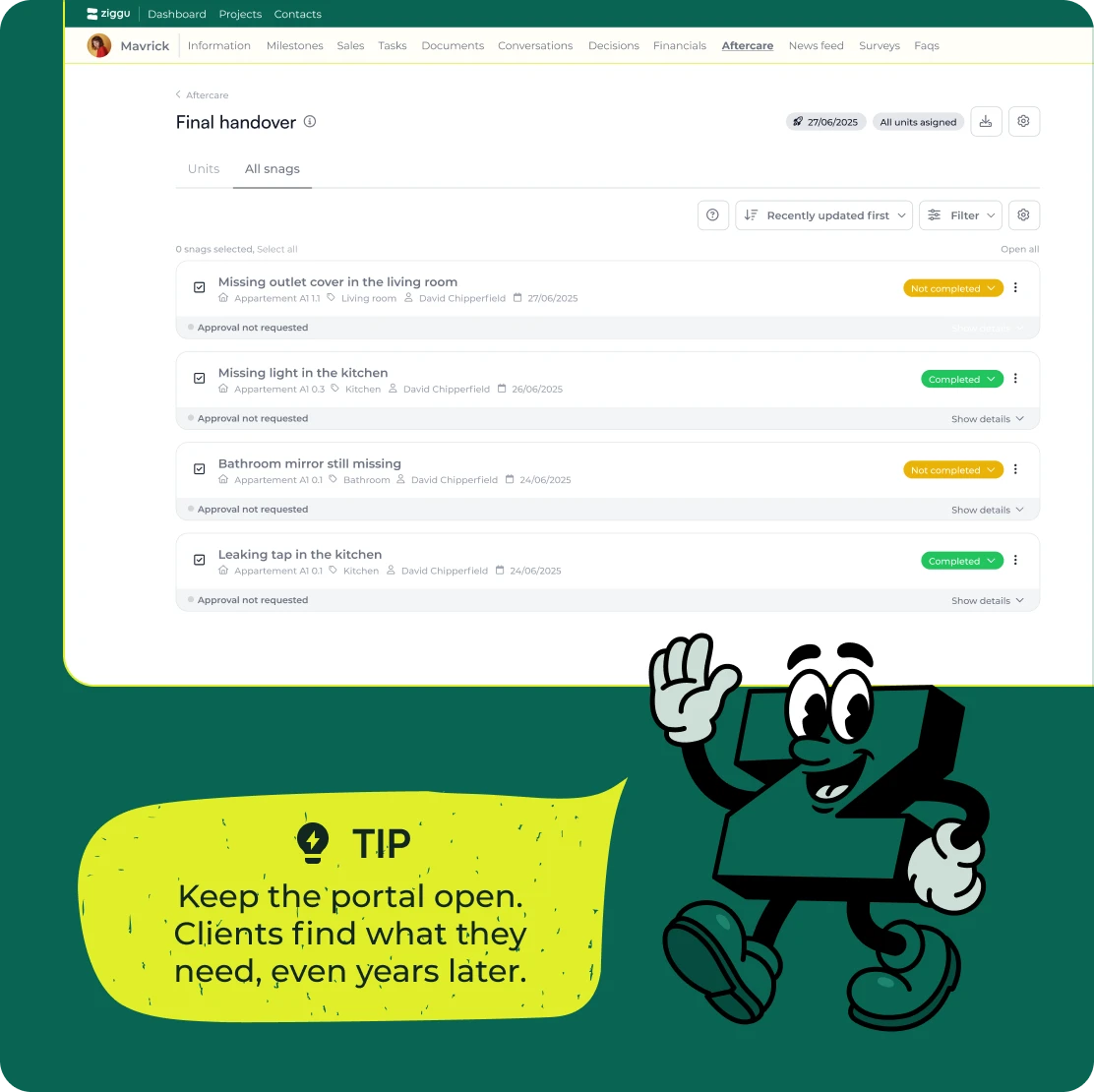
Give clients ongoing access - Keep project details, documents and decisions available after completion.
Store warranties and manuals - Provide a dedicated space for important post-delivery documents.
Simplify issue resolution - Let clients submit support requests through the portal.
Keep communication open - Send updates, reminders and follow-ups to maintain engagement.
From onboarding to handover, Ziggu keeps every project organised and on record.
Book a demo
and see it in action

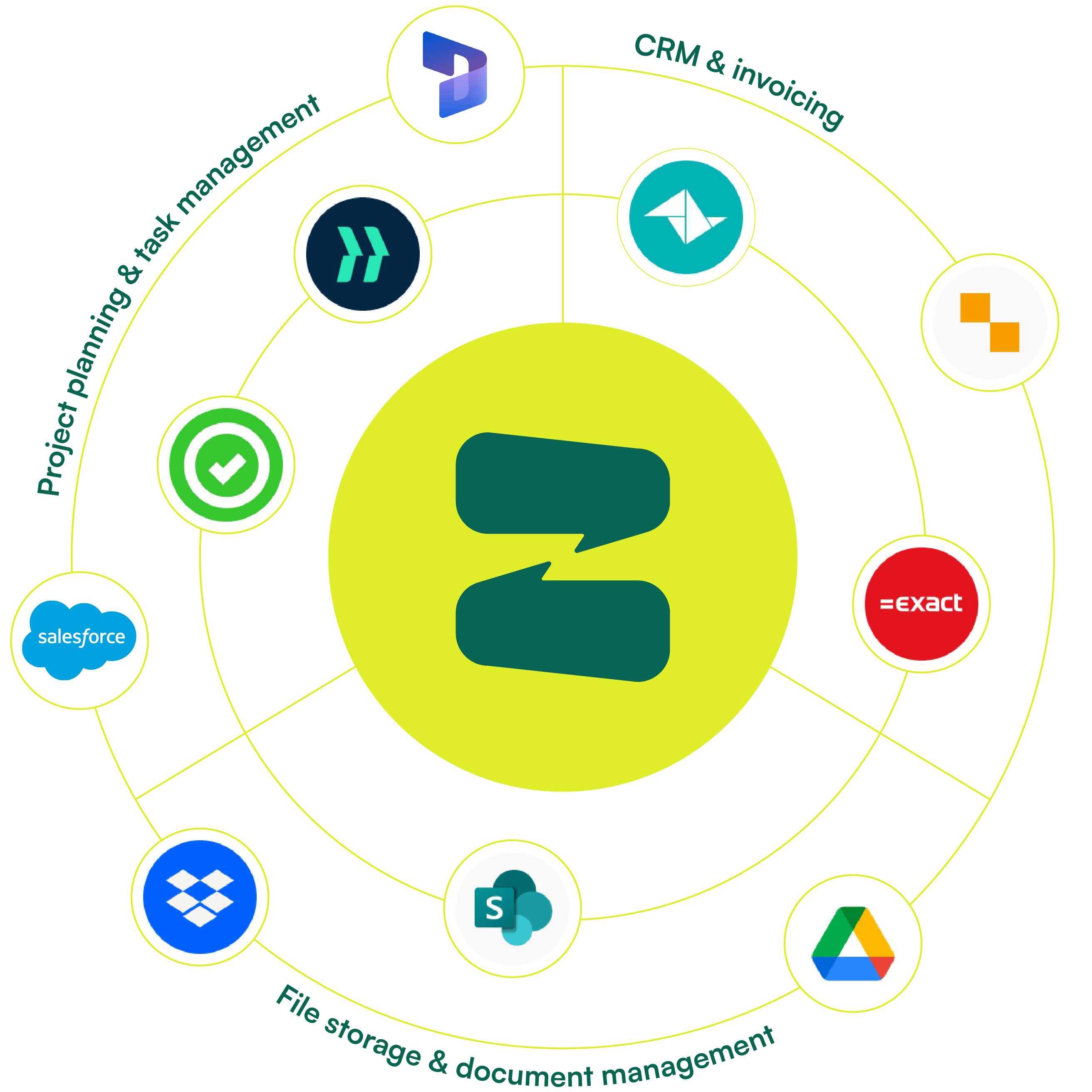
Google Drive, Teamleader, Dropbox...
Works with what you already use

Connect Ziggu to your existing tools and skip the copy-paste and the re-uploading. Ziggu replaces the mail and WhatsApp chaos around an event, it isn't yet another tool beside it.

CASE

How Studio Mowk keeps clients informed and projects on track

Studio Mowk needed a better way to manage client communication and avoid constant update requests. With Ziggu, they:

Give clients instant access to project status, plans, and documents
Reduce back-and-forth emails - clients find answers themselves
Keep every decision organized, ensuring smooth collaboration

The result? Happier clients, fewer distractions, and more time for great design.

Read the full success story

Your questions, answered

Getting started
Is Ziggu difficult to set up?

Not at all. Most teams customize their portal, invite the team, and launch a first project in under an hour.

If you’re using add-ons like Multi-Unit for property developers, we’ll schedule a short training session to guide you through it. Either way, our support team is just a click away - and yes, they’re real humans.

Does Ziggu work for small firms as well as large team?

Yes. Whether you're a one-person studio or running hundreds of projects, Ziggu scales to fit your workflow. You don’t need a big team  - just a drive to give your clients the experience they deserve.

Do I need to install software?

No. Ziggu is cloud-based, so there’s nothing to install on your computer - just log in from your browser and start working. Prefer mobile? Our app is available for download, so your team and clients can stay connected on the go.

Features & Functionality
What exactly is a client portal?

A client portal is a secure online space where your clients can follow their project. Think updates, documents, decisions - all in one place. Instead of chasing emails or calling for the latest info, they just log in and find what they need.

With Ziggu, it’s not just a folder - it’s a full experience. Branded as your own, built to keep everyone aligned.

How does Ziggu improve client communication?

Today’s clients expect answers fast - and they don’t want to dig for them. With Ziggu, everything they need is in one place: updates, plans, decisions, and documents.

It’s your workflow, in your own branded portal, with tools to proactively share progress - so clients feel informed and cared for without chasing you down.

Does Ziggu replace my CRM or invoicing tool?

No - it plays nicely with them. Ziggu integrates with your CRM, invoicing, and file storage tools so everything stays connected and nobody has to copy-paste things for the 5th time.

Integrations & Compatibility
What tools does Ziggu integrate with?

Plenty. CRMs like Teamleader and Salesforce. Invoicing tools like Bouwsoft and Exact. File storage like Dropbox, Nexctcloud, and SharePoint. Project tools like Archisnapper and LetsBuild.

We’re always adding new integrations based on client needs - so if you don’t see your tool, just ask.

Can I connect Ziggu to my own software?

Yes. Ziggu offers a well-documented REST API, so your team can integrate it with existing systems - whether it’s your CRM, ERP, or internal tools. Use it to sync data, trigger automations, or build custom workflows around your process.

How do I connect Ziggu to my website?

It’s simple. We give you a personalized link for your client portal. You - or your web developer - just add it as a button or menu item on your website. When clients click it, they’re redirected straight to your branded login page. No complex integration needed.

Pricing & Plans
How much does Ziggu cost?

Pricing is based on the number of active projects (or units if you have the multi-unit add-on) - not per user. You shouldn’t have to think twice about who gets access. For a project to run smoothly, everyone involved should be in the loop. Check our pricing page for more details.

Do you offer a free trial?

Absolutely. We’ll even help you set it up. Book a demo and we’ll get you started.

How does Ziggu compare to building our own solution?

Building your own portal might seem like a smart investment - but it rarely stops at launch. Technology, security standards, and privacy laws evolve constantly. That means ongoing maintenance, updates, audits, and bug fixes. Not to mention the pressure of keeping sensitive client data safe.

Ziggu takes that weight off your shoulders. It’s a fully managed, GDPR-compliant platform used by industry leaders - including publicly listed companies - so it’s built to meet the highest standards. You get regular updates, new features, and robust security out of the box - without the hidden cost of managing it all yourself.

Security & Support
How secure is my data?

Very. We use enterprise-grade encryption and strict access controls to keep your data safe. Ziggu is trusted by publicly listed companies, so we meet the highest security standards - and pass the audits to prove it.

Is Ziggu GDPR compliant?

Yes. Ziggu is fully GDPR compliant. We store all data securely within the EU, with geo-redundancy and server-side encryption by default. Your data is hosted primarily in Belgium (via Google Cloud), backed up across separate EU locations, and never accessed by our team unless you give explicit permission.

We also support your GDPR rights - like data deletion and portability - and provide full data exports if you ever decide to leave (but let’s hope not).

What if I need help?

We’ve got you. Real support from real people  - chat, email, or video call. No ticket limbo. No copy-paste responses. Just actual help.

Ziggy, Ziggu's mascot, waving

Still have some questions?

CONTACT US

Too good to be true?
We get that a lot.

In 30 minutes, we’ll walk you through how Ziggu works.